NEW: A selection of prints with free shipping and time limited 10% discount available - See Featured Product Store

Daz Studio - Making Photorealistic Fine Art Images
Create fine art studio photography images without a camera! Daz Studio is a powerful, free 3D creation software from Daz 3D that enables users to design, pose, and render realistic characters and scenes for images and animations, ideal for hobbyist photographers unable to cover the costs of using a professional photography studio, but wanting to give photorealistic fine art image making a try.
Philip Preston
1/1/20268 min read
Are you a photographer who has thought about trying studio photography to create fine art style images such as portraits, fashion, or nudes? The idea can initially be appealing, after all, photographing beautiful or interesting people in a purpose built photo studio, with all the necessary equipment and space readily available, sounds like an attractive proposition. But unless you have access to this type of situation and can afford the financial costs of using such a service, it might be problematic. For example, is a studio within reasonable travel distance of where you live, doe's it have the type of equipment you would need to use, do you have the skills to produce the images or would you need to pay an experienced photographer to help with things like camera settings, lighting equipment, finding experienced models and knowing how to pose and interact with models to get the best results?
For many hobbyist photographers such as myself, the financial costs of doing the above would possibly be prohibitive relative to the outputs produced. It would certainly be nice to try some fine art photography in a professional studio, but with relatively high costs and no guarantee of results, its likely to remain just a thought and progress no further.
During 2025, I had been using Stable Diffusion, an AI text to image generator, for things like digital art style portraits, and while some of the outputs were interesting and good quality, there were often flaws such as deformed hands or fingers and extra limbs added. Because of these types of issues, I eventually became reluctant about using AI image generators and decided to investigate if other methods were available that could produce better quality results. After a bit of research, I discovered Daz Studio (other options are also available) and being free software decided to give it a try. Although 3D software is relatively complicated to use for first time users, I decided to press on with it, and while still very much a 'newbie' to all this, have managed to produce some simple work I like and am pleased with the quality of the images (compared to my similar AI results).
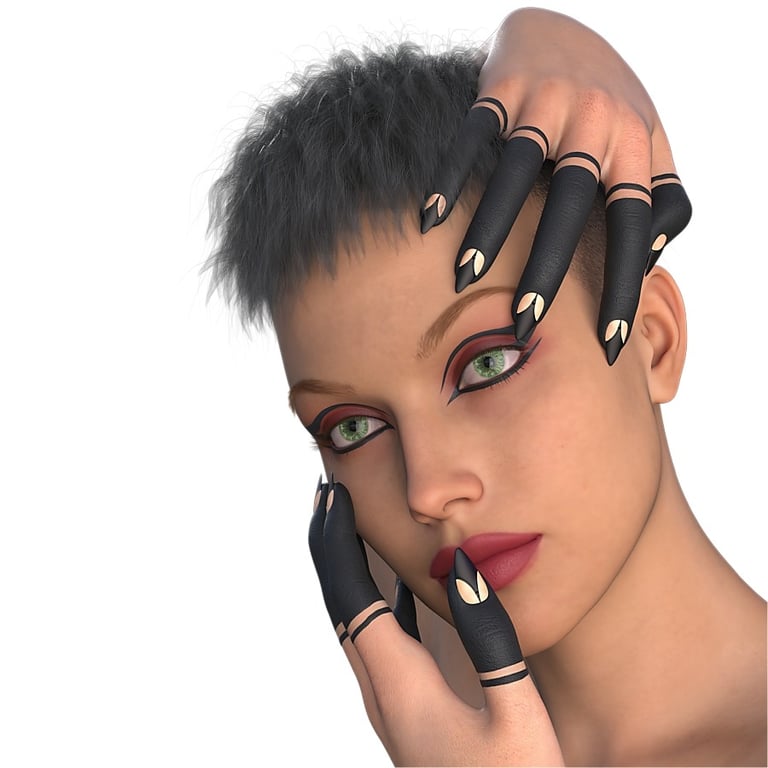
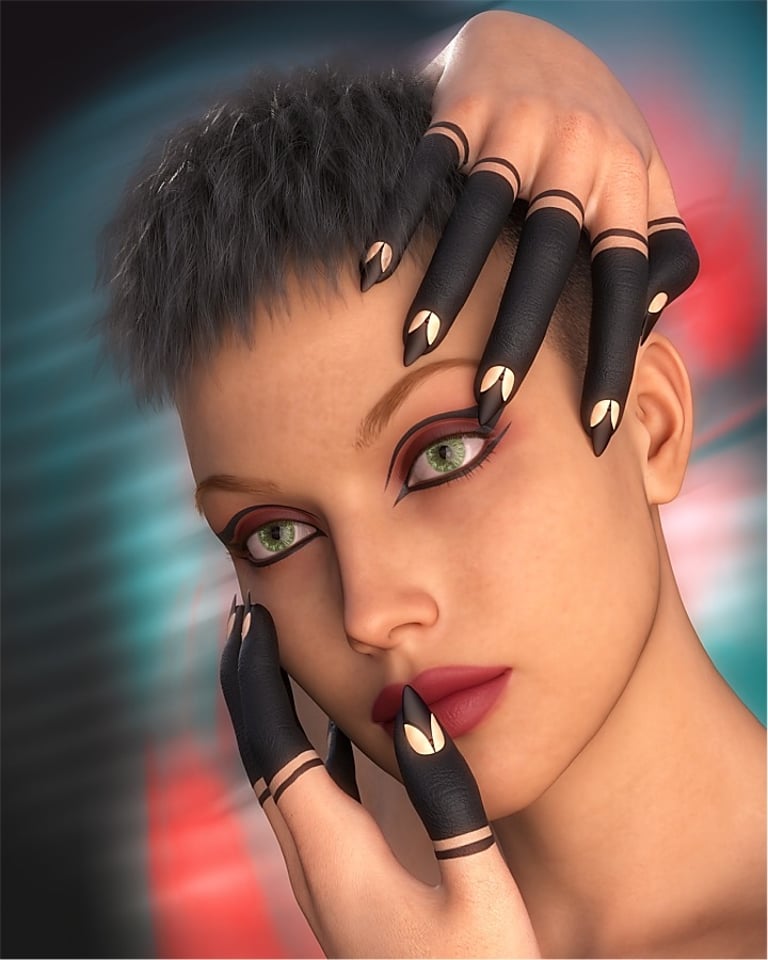
All the images below were produced using Daz Studio and are examples of photorealistic outputs with renders saved as png files with transparent backgrounds. The images had additional editing in post processing with an image editor to add interesting background effects.
Head And Shoulder Portraits
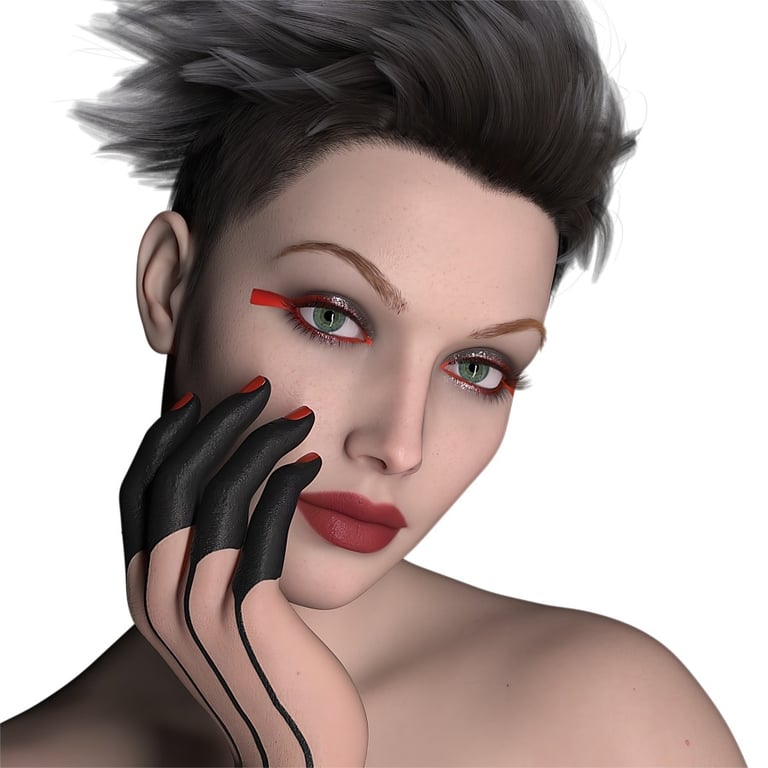
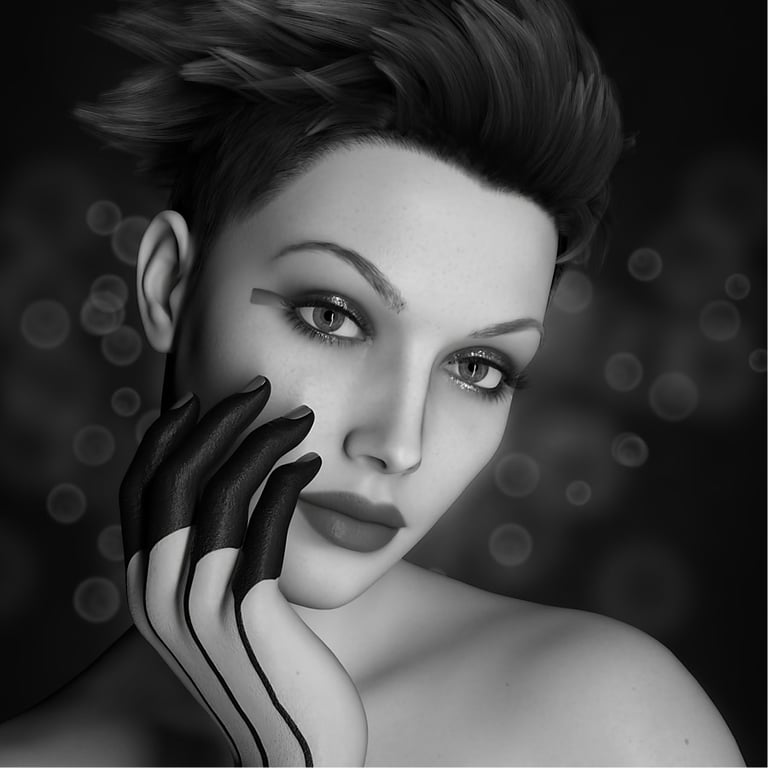
The image shown left is the original output render from Daz Studio, with a white transparent background, while the image shown right is the same image after further editing with an image editor. The edited version is intended to look like a sophisticated classic monochrome portrait, with some subtle background bokeh effects added for visual interest.
Again, the images below show original rendered file (left) and the edited version (right). This is still a head and shoulders style portrait, but with more of a fashion and beauty emphasis highlighting the hands and nail art. Colour is also an important part of this image, and complimentary colours with light patterns and subtle blur have been added to the background.
Fantasy Character Portraits
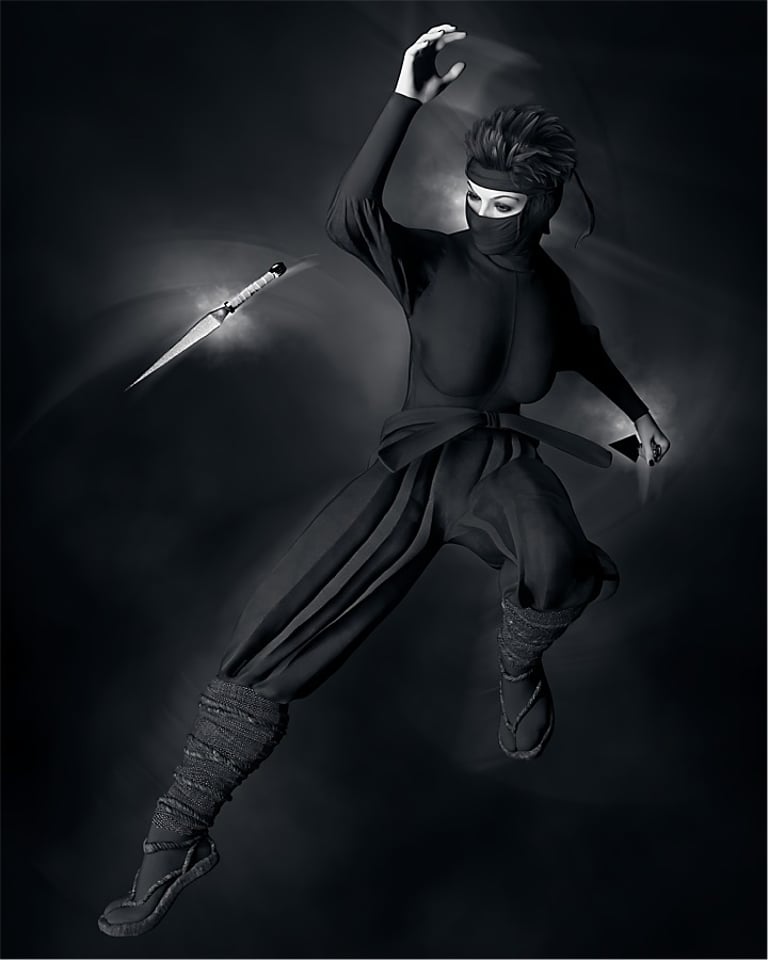
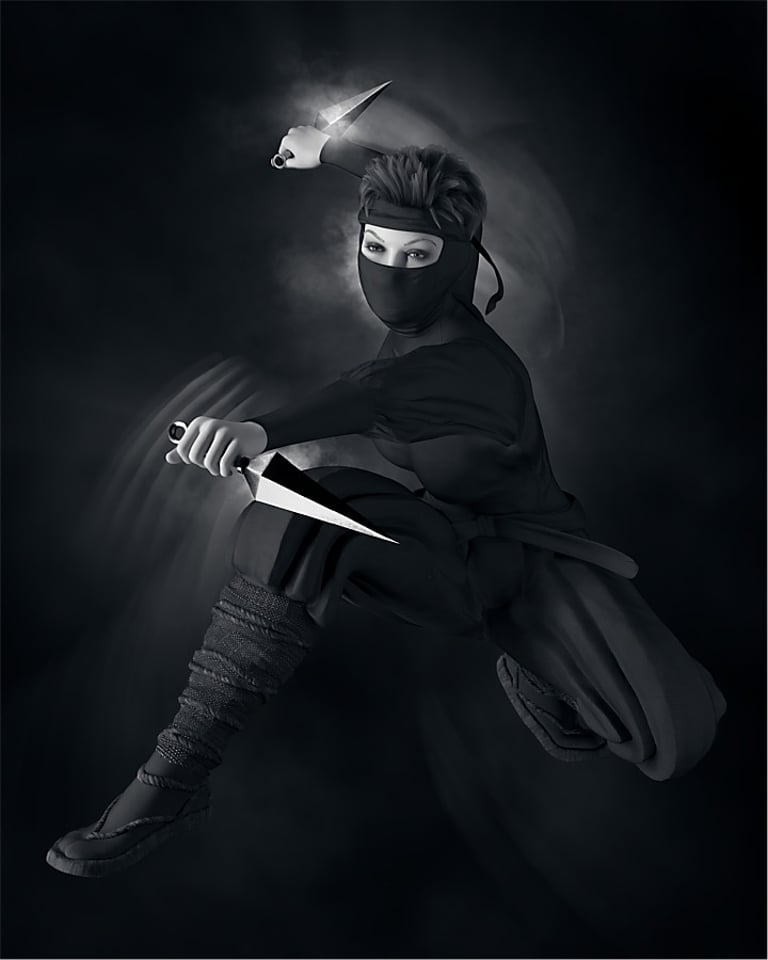
Fantasy characters are very popular within digital and 3D art, including things like elves, animals, monsters, robots and more, all of which are possible with Daz Studio. In the examples below, I produced two images of Ninja style females (known in Japanese as Kunoichi) with appropriate clothing and weapons. Given the shadowy nature of these type of characters, my intention was to portray them dressed in dark clothing against a dark grey background with some subtle lighting and blur effects.
Posing dark grey characters against a dark grey background means lighting is very important to distinguish the subject from its background. Lighting is also important for highlighting props like dagger blades, otherwise a dark bladed weapon would merge into the background rather than stand out.
Finally, some subtle background lighting and motion blur effects have been added to both images to help convey a sense of the characters being in motion, literally, a ninja's deadly dancing in the shadows.
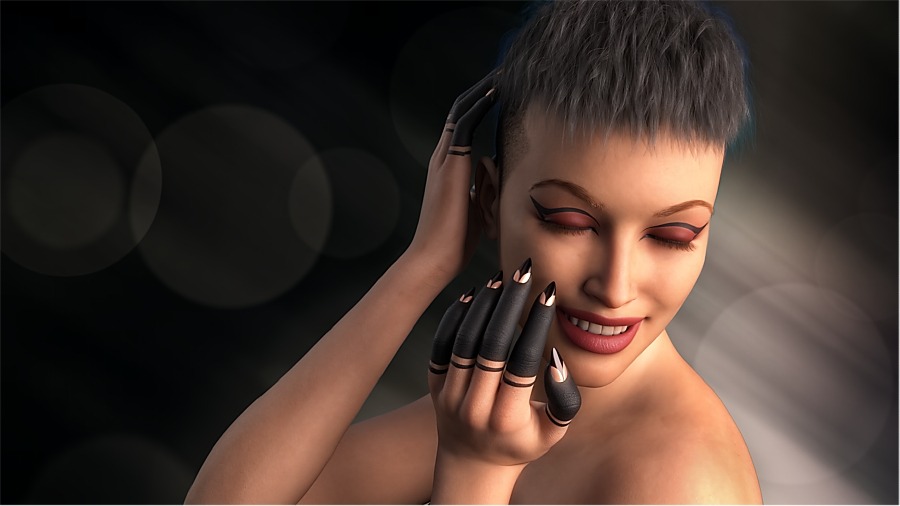
A further example of the same female character with a different pose is shown below. Lighting is from a single source on the right hand side, with a dark background on the left hand side that could be ideal for an advertising style image where white text might be added on the left side to give information about the henna style fingers, or the shape and style of nail art used in the image.
Portraits With Props
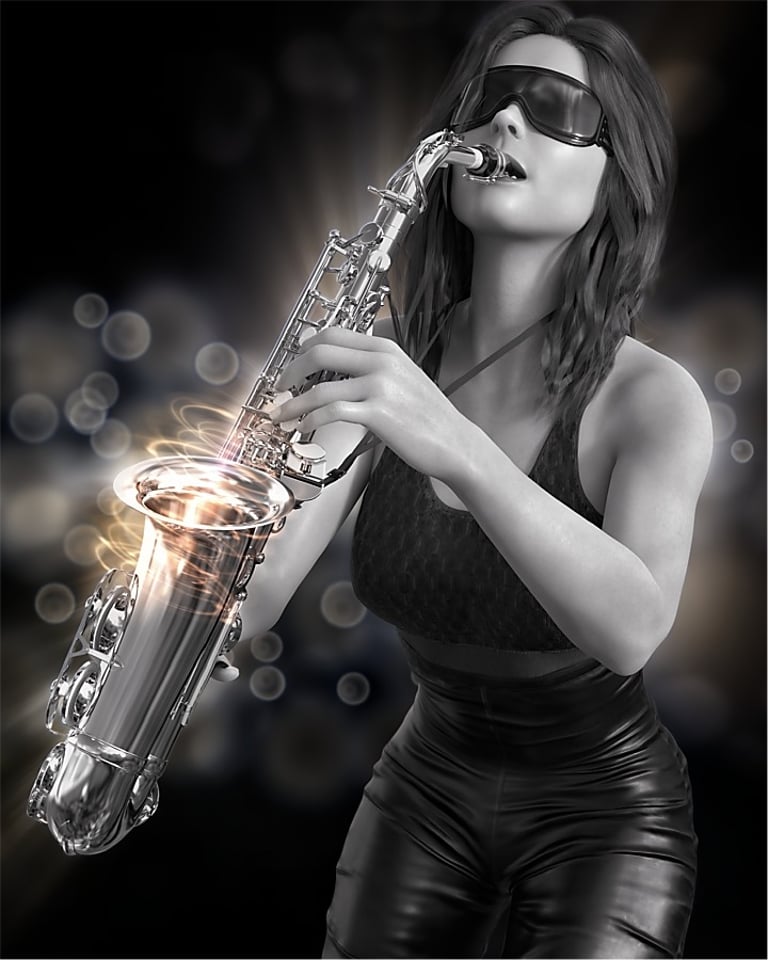
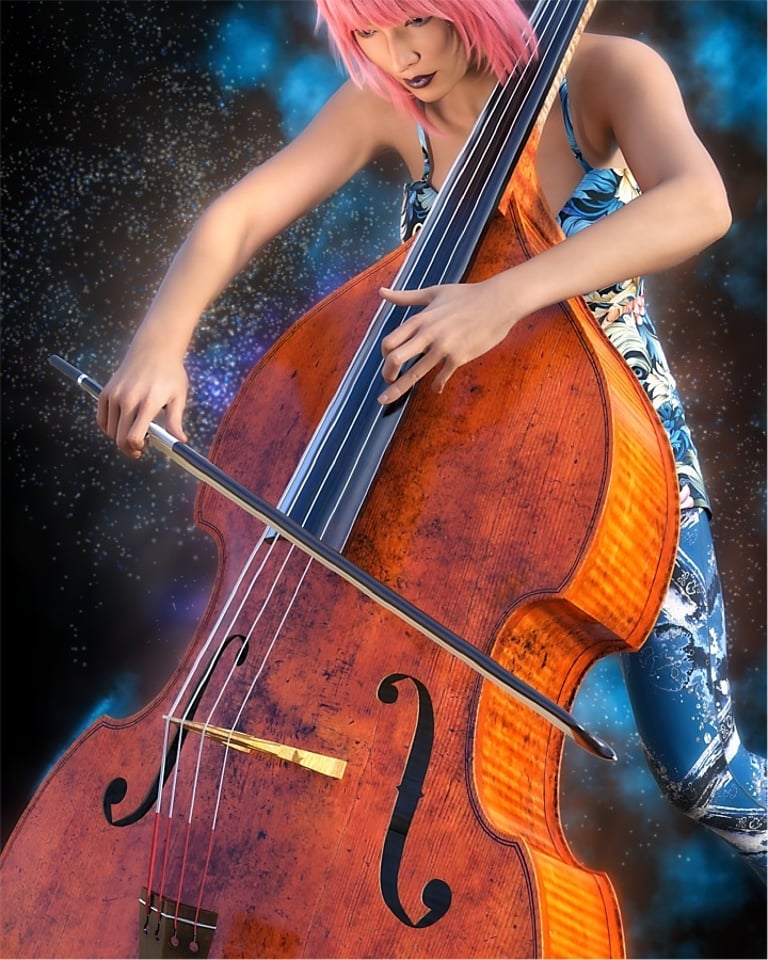
If female ninja warriors are not your thing, then no problem, as multiple other options are available. The two examples below are music related with a saxophone and cello being played by a young female musician. The original Daz Studio rendered files had empty transparent backgrounds, giving me the opportunity to add something visually interesting to the final version of the image.
For the saxophone, I went for a monochrome presentation style with a little bit of colour and some simple background bokeh effects. For the cello, I went for colour with an essentially blue and orange scheme, and some pink hair to compliment the skin tones and wood coloured cello. The abstract patterned clothes of the musician also helped add a bit of texture to the image, along with some blue dust and particle effects to the background for further visual interest.
Fine Art And Nude Portraits
I refer to images in this section as 'fine art photography' or 'fine art nudes'. Personally, I do not have a definition of what is meant by fine art photography, but Google AI describes it like this: "Fine art photography is using photography as a medium for creative expression, where the goal is to convey the artist's vision, emotion, or idea, rather than just documenting reality. It prioritizes the photographer's artistic intent, using deliberate choices in composition, lighting, and post-production to evoke a feeling or provoke thought, differentiating it from photojournalism or commercial work. Any genre—landscapes, portraits, abstracts—can be fine art if it stems from the artist's unique vision".
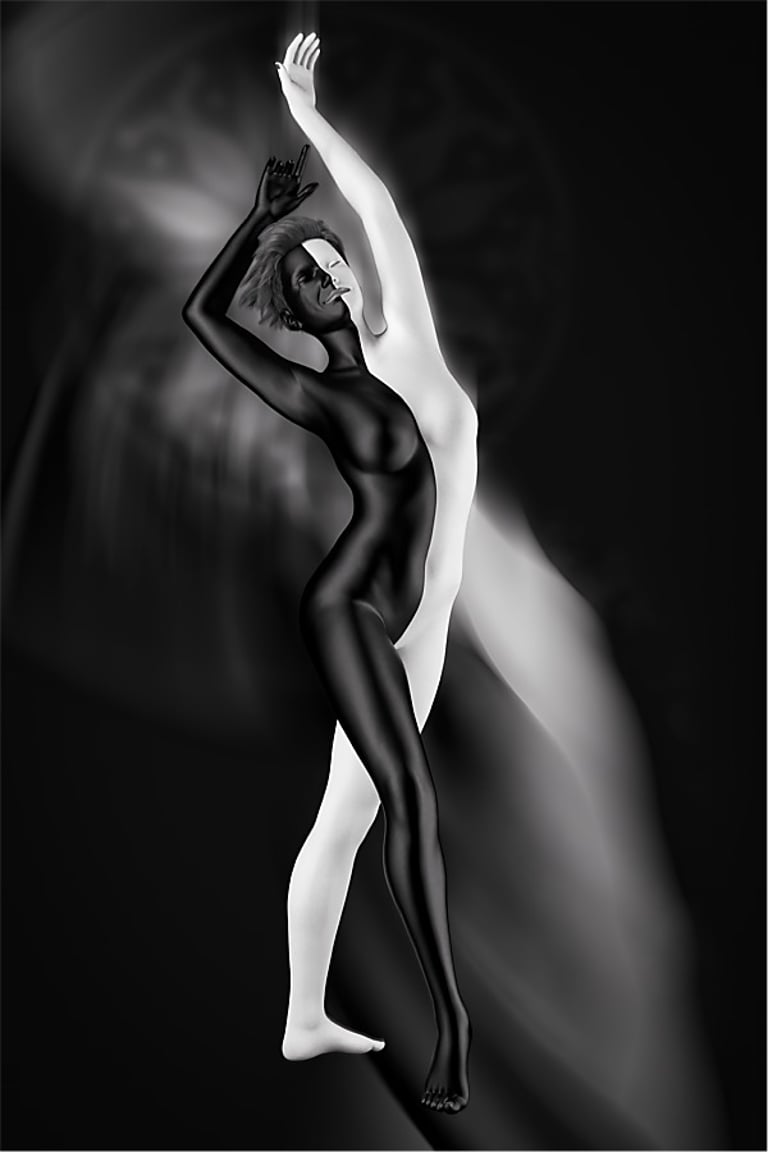
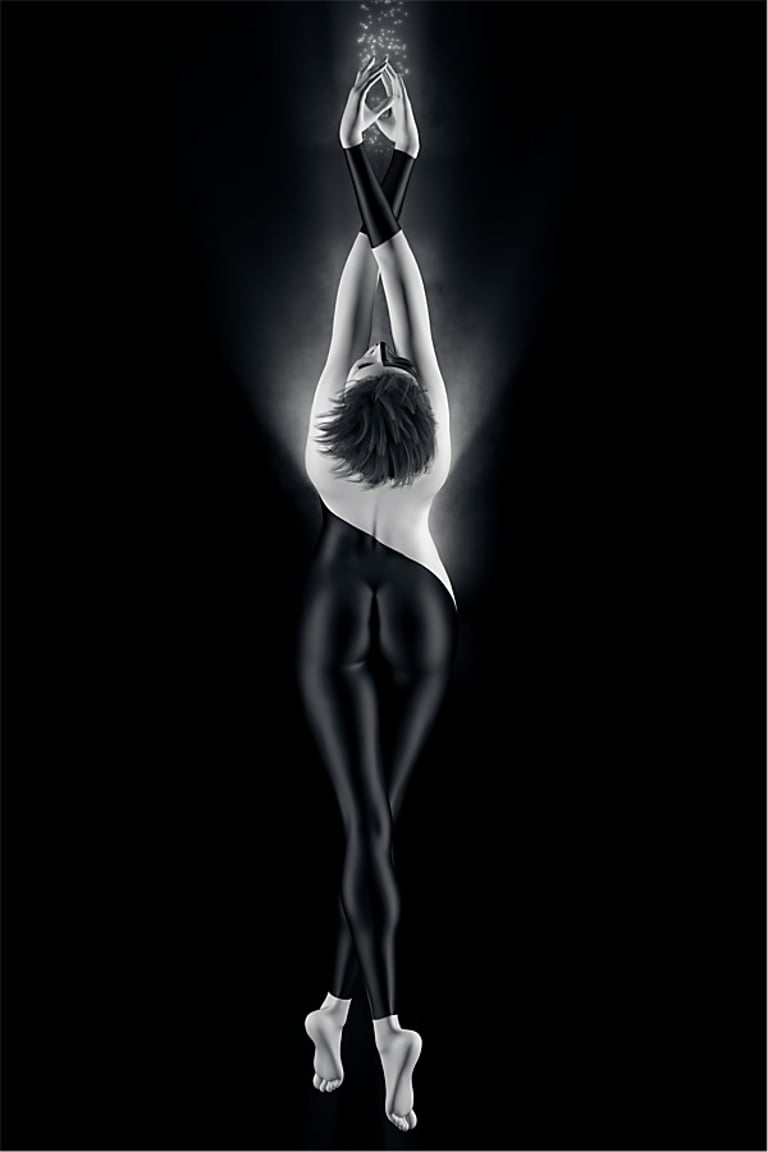
For the two example images below, the theme is female dancers in posed positions that could be part of a dance routine. In both cases, the colour scheme is monochrome, and the characters bodies have distinct black-white elements that fit well with a monochrome presentation. Lighting is high contrast, and outline highlights help define the shape and position of body elements coloured black that otherwise might blend in too much with the dark coloured background.
The image on the left has abundant background lighting and blur to suggest movement by the dancing character, while the image on the right has more subtle and subdued background lighting in line with the theme of 'reaching for the stars'.
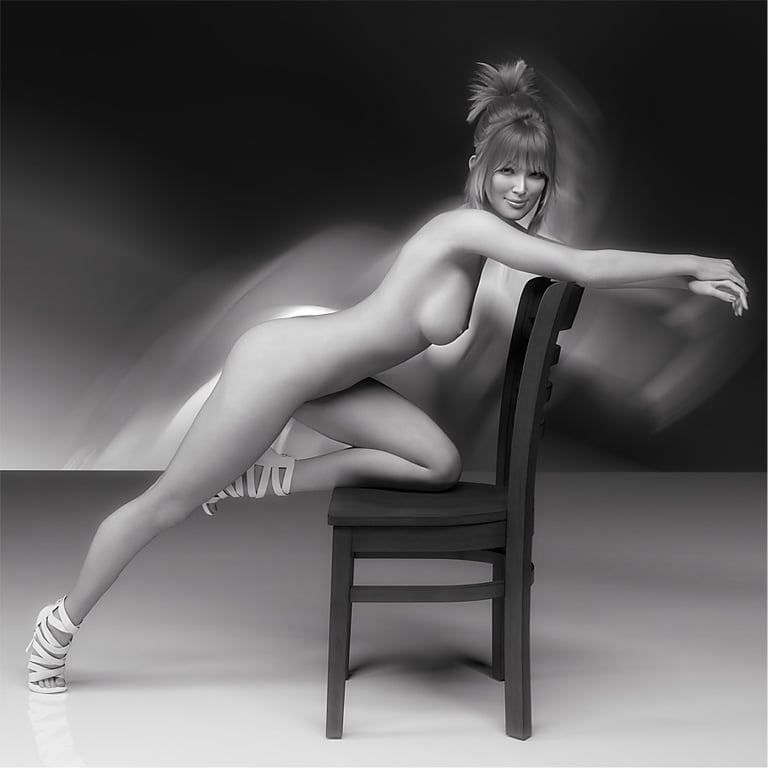
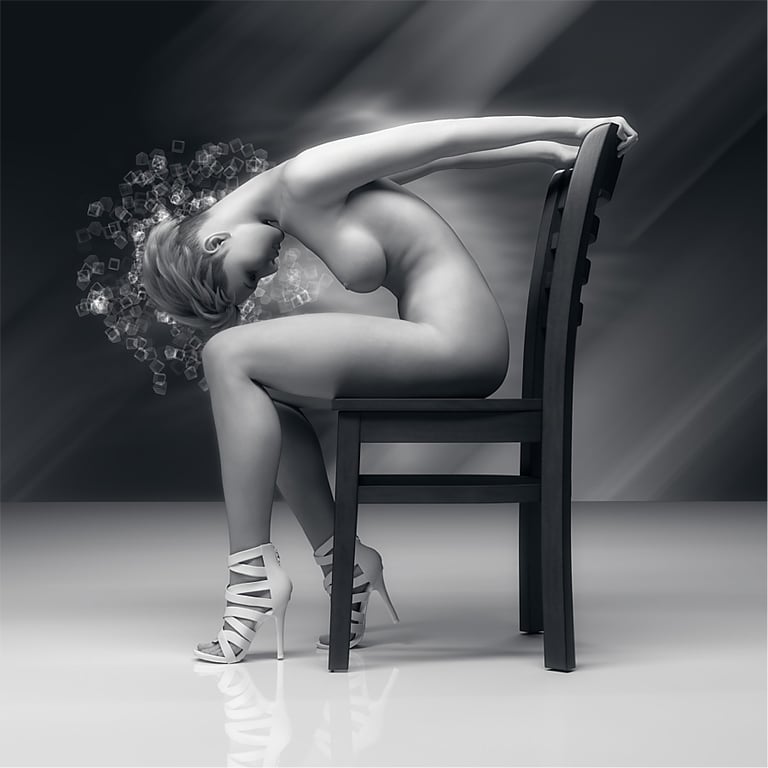
The next two images are examples of 'fine art nude' photography, using a simple prop (wooden chair) to facilitate poses other than the usual standing or sitting ones, and post processing added lighting effects to further enhance the visual interest of the finished images. Again, a monochrome colour scheme is used with relatively high contrast across the images tonal ranges.
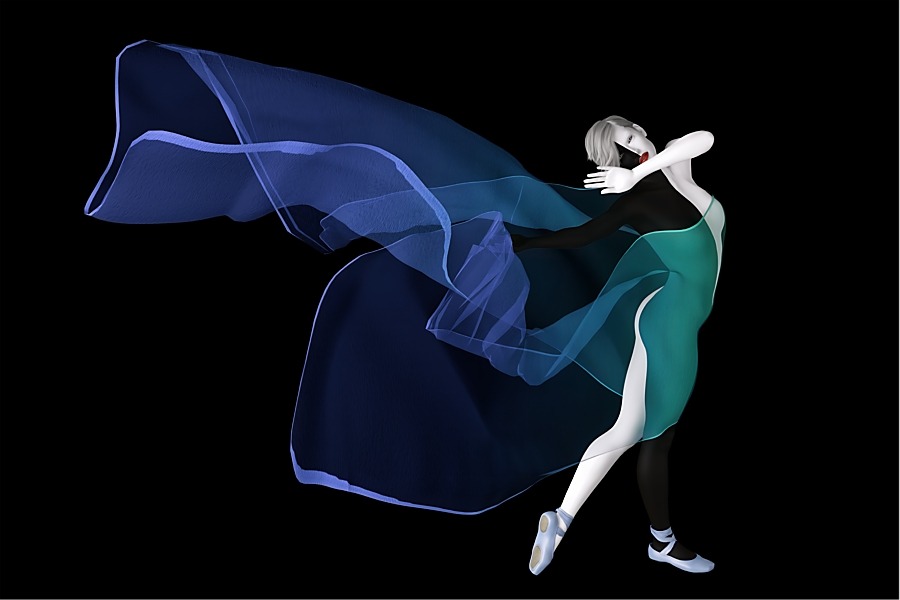
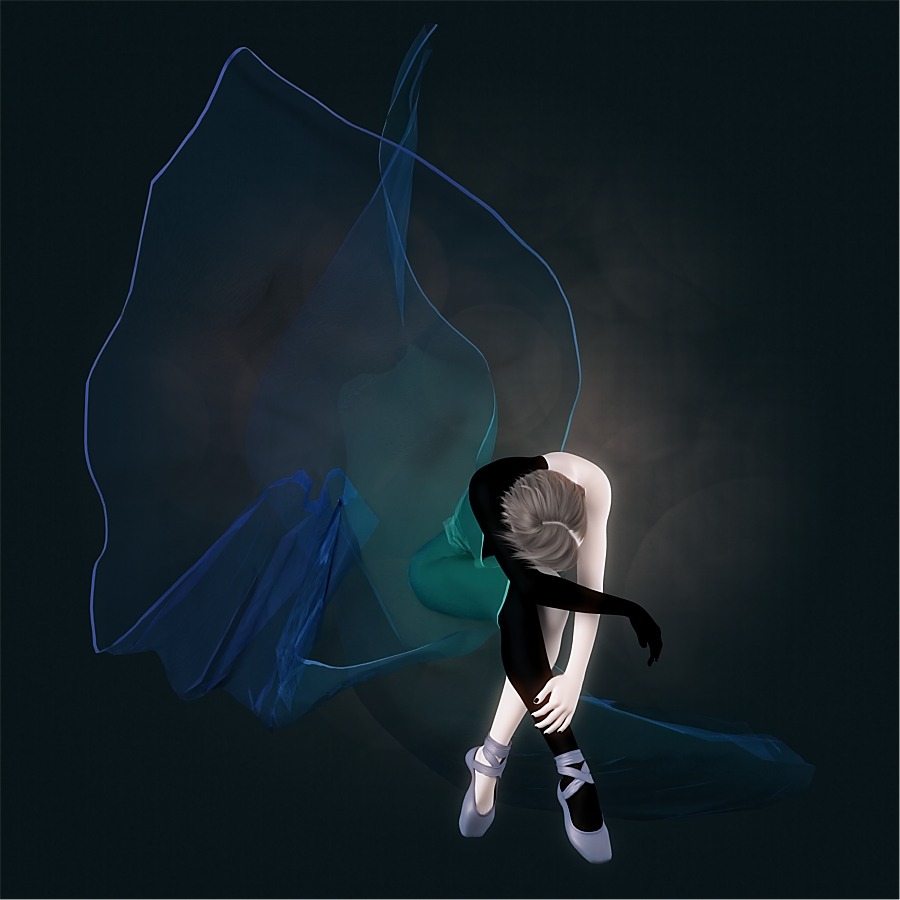
The following image also has a dance related theme, and features a ballet dancer in a posed position and wearing a translucent fabric cloth that billows around and above her body. The dancer takes up a relatively small area of the image, with more space devoted to the billowing translucent cloth. The colour scheme is subdued with a little bit of blue and green included, while the background lighting is relatively flat with a hint of brightness around the dancer's upper body.
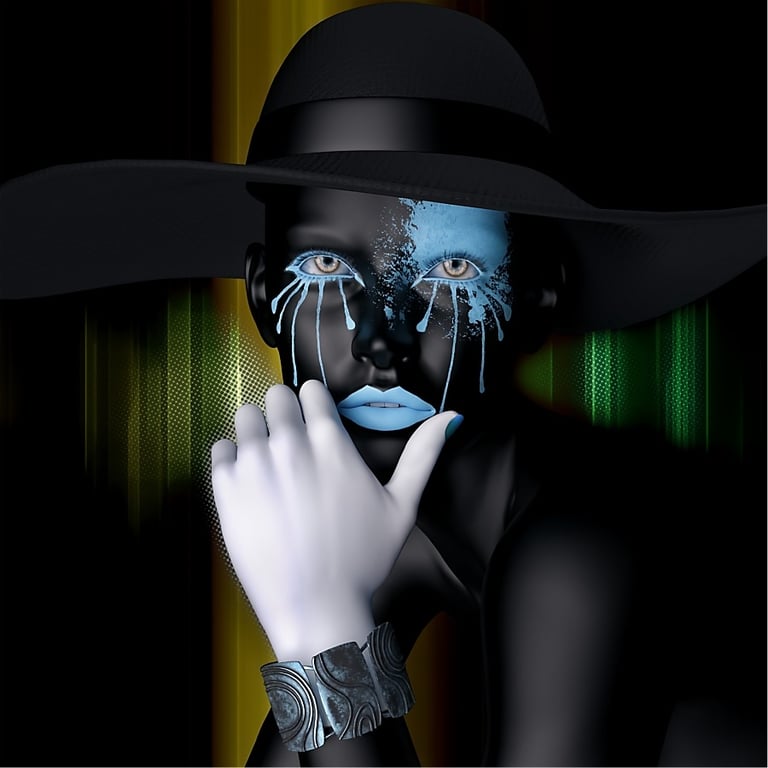
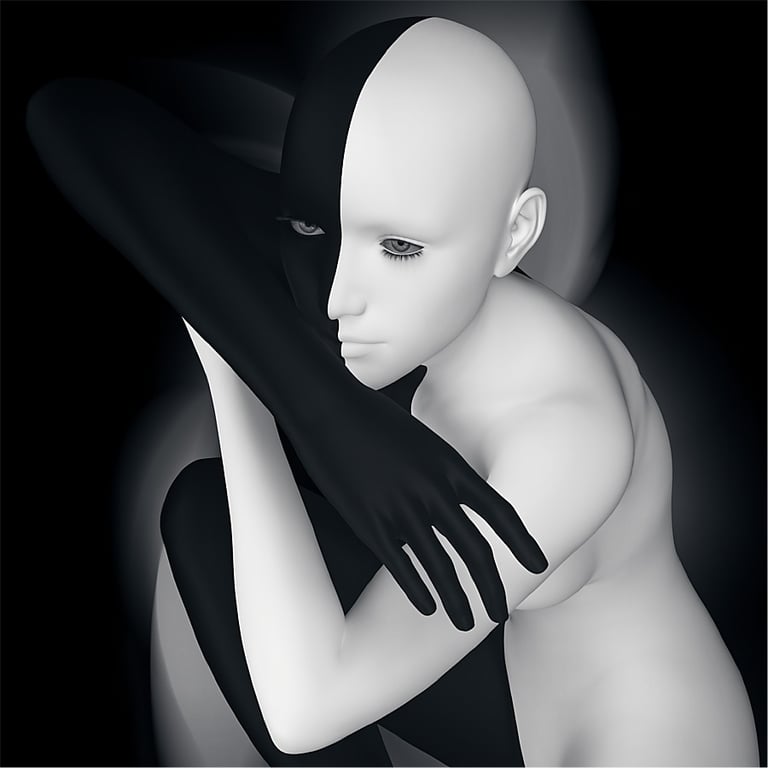
The final two example images are primarily head and shoulder portraits, but with a more abstract presentation style.
General Conclusion
If you have ever thought about trying 'fine art photography', but for whatever reason decided it is not possible for your circumstances, then you could consider using 3D software programs rather than an actual professional photography studio to create such imagery. Some suitable programs, such as Daz Studio and Blender, are free of charge and readily available for download on the internet. Using programs like these enable's you to produce fine art imagery in the comfort of your own home, without the need for travel to professional photography studios, or paying expensive fee's for using studio facilities and model's time.
In a number of ways, there are some similarities between producing images in a photography studio and using 3D programs. Composition and lighting are equally important to both methods, so any skills you have learnt about these from photography can carry across to 3D programs. The camera(s) in Daz Studio even use conventional photography factors such as ISO, shutter speed and aperture, which can be adjusted accordingly if relevant to an image you are creating, although much of the time, you will probably never need to change any of these unless you have some very specific requirements, such as an image with very limited depth of field.
Although learning to use 3D programs can be challenging for the novice user, helpful learning resources in the form of tutorials and discussion forums are readily available on the internet. Daz Studio has produced a number of training videos on platforms like YouTube covering the basics of getting started with the program, and there are other independent experienced users that also produce helpful videos, both for novices and more experienced users. Daz Studio also has a discussion forum on its website with a special section for new users, where you can ask questions and get help from other more experienced users. The Daz Studio website also has a gallery for members to share their work and see images produced by other users.
A Few Final Pros And Cons
To finish, I list a few pros and cons, based on my somewhat limited experience, of using Daz Studio to produce photorealistic fine art images:
Pros:
Daz Studio software is free and available for download from their website https://www.daz3d.com/technology/
Some basic props, eg, characters, clothing, hair etc are provided with the software so you can try it out, but the Daz Studio Store offers many more additional resources available for purchase.
Produce work in the comfort of your own home
No need to find experienced models
Inexpensive, compared to costs for using a professional photography studio and models.
Your own photographs can be used as backdrops for characters and props created with Daz Studio.
You can create characters that may be difficult, expensive, or impossible to find in the real world.
Cons:
Learning 3D software programs can be relatively complicated for new and inexperienced users.
Ideally, you need a higher spec PC with an NVIDIA RTX graphics card for best performance.
Although basic props are provided free with Daz Studio, you are likely to end up spending money in the Daz Store to get better and more interesting things like characters, clothing, hair and accessories etc
AI Summary Of Tech Specs
To run Daz Studio on a Windows desktop PC (at December 2025), the following is recommended by Google AI:
A modern multi-core CPU (i7/Ryzen 7+), ample RAM (16GB minimum, 32GB+ recommended), plenty of fast storage (SSD), and crucially, a powerful NVIDIA GPU with lots of VRAM (8GB+), as it handles rendering; an RTX 3000 series or newer is ideal for good performance with the Iray renderer, with more VRAM and RAM boosting your ability to handle complex scenes.
Minimum Requirements (For basic use)
OS: Windows 10 (64-bit).
CPU: Intel Core i5 or AMD Ryzen 5 (dual-core or better).
RAM: 8 GB (16 GB recommended).
GPU: Hardware-accelerated OpenGL 2.2+, NVIDIA with 4GB+ VRAM (e.g., RTX 2060).
Storage: 1GB for installation, SSD recommended for faster loading.
Recommended Requirements (For better performance & Iray)
OS: Windows 10/11.
CPU: Intel Core i7/i9 or AMD Ryzen 7/9.
RAM: 32 GB or 64 GB (especially if you have less VRAM).
GPU: NVIDIA GeForce RTX 30 series or newer (RTX 3060 12GB, 4070, 4080) with 12GB+ VRAM is great.
Storage: Fast NVMe SSD for OS and content.
Key Considerations for Performance
GPU is King: NVIDIA GPUs with sufficient VRAM (Video RAM) are vital for fast Iray rendering; the VRAM acts as your scene's capacity.
RAM for Navigation: More system RAM (32GB+) helps with multitasking and loading large scenes, notes.
SSD: Speeds up Daz Studio's loading of assets and textures significantly.
NVIDIA: Essential for hardware-accelerated Iray rendering; AMD GPUs will rely on much slower CPU rendering.
© Copyright Notice
All images copyright Philip Preston photography and digital art. No images by Philip Preston are in the public domain and must not be copied or used for any purpose unless agreed in advance. Use the Contact Form on this website for any enquiries about usage.
Returns And Refunds Policy